











Your Wasafi Bet account gives you access to sports betting, casino games, and live events in Tanzania. To place bets, view your betting history, or manage your balance, you need to log in with your registered phone number and password. If you do not have an account yet, registration creates the profile you need before you can use these services.
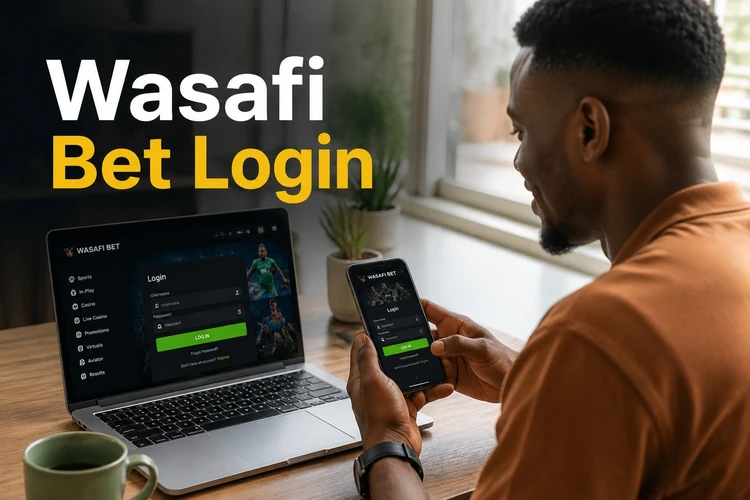
After signing in, you can review your account details and betting activity from a computer or phone. The same account can be used on more than one personal device, so there is no need to create separate profiles. Keep your login details private and check that you are using the correct official access page before entering them.
Login to Your Wasafi Bet Account
To access your account, open the official website and locate the Login button in the top-right area of the homepage. Select it to open the login form. You will need the phone number connected to your account and the password created during registration.

Type your phone number in the first field, using the format shown on screen and including the country code if requested. Enter your password in the second field exactly as you created it. Passwords are case-sensitive, so check the keyboard layout and make sure Caps Lock is off. Submit the form using the confirmation button to continue to your account area.
For security, avoid saving your password on shared or public devices. Log out when you finish, particularly if someone else can access the computer or phone. This reduces the risk of unauthorized access to your personal information and account balance.
Register a New Wasafi Bet Account
If you are visiting for the first time, you must create an account before placing bets. Registration requires a valid Tanzanian phone number and a password. Start by selecting the sign-up option on the homepage, then complete the details requested in the form.
Enter your phone number in the format displayed on the screen. A confirmation code may be sent by SMS to verify that the number belongs to you. Enter the code where requested, then create a password that is difficult to guess. A mixture of letters, numbers, and symbols is safer than a name, birth date, or simple sequence.
Review your details before submitting the form, since an incorrect phone number can make later password recovery difficult. Once registration and verification are complete, sign in and check that your profile information is accurate. Deposit only through the payment options shown in your account and review transaction details before confirming.
Wasafi Bet App Login
The mobile application provides account access from a compatible Android device. After installing it from a trusted source, open the app and look for its login form. Enter the same phone number and password that you use on the website.

The mobile layout is designed for a smaller screen, which can make it easier to review markets, check results, and manage your account while connected to the internet. If you already registered through the website, do not open a second profile for the app. Use your existing credentials instead.
Only enable a saved-login option on a private device protected by a PIN, password, or biometric lock. If the app does not accept your details, first test the same credentials on the website and check for typing errors before reinstalling anything.
Reset Login Password
If you forget your password, use the recovery option below the password field. Select the link labeled "Forgot password?" and follow the instructions shown on screen. The recovery process normally requires the phone number associated with your account.
Enter that number carefully and wait for the verification code sent by SMS. Type the code into the recovery form, then choose a new password that you have not used elsewhere. Do not share the code with another person, even if they claim to be helping with your account.
SMS delivery can be delayed by network congestion. Check the number, confirm that your phone has a signal, and avoid requesting many codes in quick succession because an older code may stop working. If you no longer control the registered number or the recovery process continues to fail, contact customer support and be ready to confirm ownership without disclosing your password.
Login Errors
The most common login problem is an incorrect password. Enter it again slowly, checking uppercase and lowercase characters, spaces, and the phone number format. After several unsuccessful attempts, stop guessing and use password recovery so the account is not restricted by repeated failed entries.
An unregistered or changed phone number can also prevent access. Use the number supplied during registration rather than a new number you may now use. If your number has changed, support may need to review the account before any details can be updated.
Connection problems may cause the login page to time out or fail to load. Try a stable mobile-data or Wi-Fi connection, close duplicate browser tabs, and reopen the page. If the service is undergoing temporary maintenance, wait and try again later instead of repeatedly submitting the form.
An account may be restricted for security reasons or because of a possible breach of the platform's terms. Read any message displayed on screen and contact support for an explanation. Do not create another account to bypass a restriction, as this can make verification more difficult.
Tips for Secure Login
Choose a password of at least eight characters and combine letters, numbers, and symbols. Avoid reusing it on social media, email, or other betting sites. A unique password limits the damage if another service suffers a data breach. Store it in a secure password manager rather than in a note that other people can open.

Protect the phone number linked to your profile. Use a screen lock and keep control of the SIM card used for verification. If the SIM is lost or the number changes, seek help promptly. Always sign out on public computers, do not let a shared browser remember your password, and review recent account activity if you suspect someone has gained access.
Be alert to phishing messages and imitation login pages. Use the official website or trusted app source, check the page before entering credentials, and never send your password or SMS verification code to anyone. A genuine support interaction should not require you to reveal either secret.
FAQ
Open the official website, select the Login button, and enter the phone number registered to your account with your password. Submit the form to access your account. Existing users can use the same details in the mobile app.
Yes. Select the sign-up option on the website, enter a valid Tanzanian phone number, complete any SMS verification step, and create a secure password. Check the details before submitting the form.
Yes. Install the app on a compatible Android device from a trusted source and use the phone number and password from your existing account. A separate account is not needed.
Select the "Forgot password?" link on the login form, enter the phone number linked to your account, and follow the SMS verification steps. Create a new password after the code is accepted.
Yes, you can use the same account on your personal computer, phone, or tablet. Sign out of devices that other people can access, and never enable saved login details on a public computer.
Check the phone number format, password spelling, keyboard settings, and internet connection. If you have forgotten the password, use the recovery option. For a changed phone number, account restriction, or continuing technical problem, contact customer support.